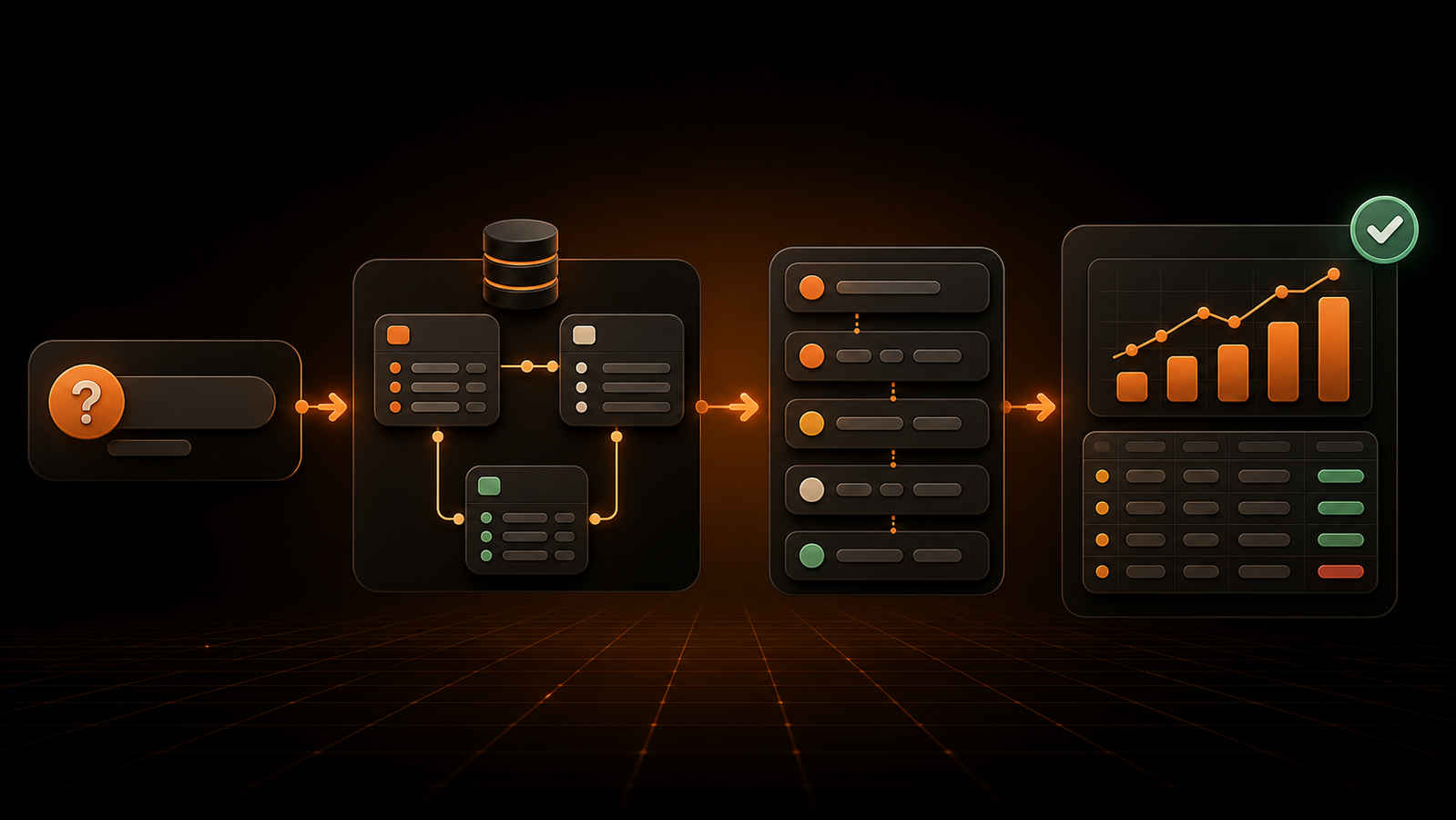
Metabase Alternative: GetInsights vs. Metabase
Your team should not need an analyst ticket for every follow-up question. But replacing one BI tool with another only helps if the new workflow changes who can get an answer, how safely they can query live data, and who must operate the platform.

Your team should not need an analyst ticket for every follow-up question. But replacing one BI tool with another only helps if the new workflow changes who can get an answer, how safely they can query live data, and who must operate the platform.
This guide evaluates GetInsights as a Metabase alternative for founders, operations leaders, product managers, and data teams. It compares the current products across natural-language analysis, dashboards, deployment, database safety, governance, and pricing—then gives you a practical pilot plan for choosing between them.
What is the best Metabase alternative for a growing team?
GetInsights is a strong Metabase alternative for growing teams that want managed, natural-language analytics with a fixed-price plan and an enforced read-only query layer. Metabase is usually the better fit when open-source self-hosting, a mature visual query builder, broad customization, or an established semantic layer is more important than minimizing setup and platform ownership.
Neither answer is universal. The right choice depends on the work your users actually do: asking unplanned questions, creating reusable reports, operating a self-hosted application, enforcing data access, or embedding analytics for customers.
The comparison also needs to reflect the current market. Metabase is no longer simply a no-code query builder with an SQL editor. Its Metabot assistant can answer natural-language questions, create charts, generate or edit SQL, and analyze visualizations. A credible evaluation should compare two AI-capable self-service analytics platforms, not repeat an outdated claim that Metabase has no natural-language experience.
Metabase alternative comparison at a glance
This table describes product fit, not a verdict. Test every critical feature on the plan you intend to buy because deployment options, permissions, AI usage, and embedding rights differ by edition.
| Decision factor | GetInsights | Metabase | Practical implication |
|---|---|---|---|
| Primary workflow | Ask in plain English, generate SQL, return live results and charts | Ask with AI, use a visual query builder, or write SQL | GetInsights is more focused; Metabase offers more authoring paths |
| Deployment | Managed SaaS connected directly to your database | Free self-hosted Open Source or managed Metabase Cloud | Metabase offers more infrastructure control; GetInsights removes app operations |
| Database writes | Independent enforcement layer allows SELECT and blocks write commands | Database privileges are configured by the administrator; optional features can use separate writable connections | Both can run read-only, but the control model differs |
| Dashboards | Drag-and-drop dashboards, sharing, embeds, and 50+ chart types | Mature dashboards, filters, subscriptions, models, and collections | Validate advanced dashboard interactions in a pilot |
| Governance | Query history and audit features, plan-dependent team controls | Groups, collections, data permissions, row/column security, usage auditing, and semantic tooling, depending on plan | Metabase has broader governance depth; GetInsights emphasizes a simpler guardrail |
| Open source | No | Yes, AGPL-licensed Open Source edition | Metabase is the clear fit when source access or self-hosting is mandatory |
| Entry pricing | Starter $59/month; Pro $99; Scale $299 | Open Source free; Cloud Starter $100/month plus users; Pro $575/month plus users | Compare total operating cost, not only subscription price |
| Best fit | SMB and mid-market teams prioritizing fast, safe question-to-answer workflows | Teams prioritizing open-source control, visual querying, modeling, or broader BI administration | Choose based on operating model and primary user |
There is meaningful overlap. Both products connect to existing databases, support dashboards, let technical users work with SQL, and now provide AI-assisted analysis. The differences become clearer when you look at where each product places complexity.
Why teams look for a Metabase alternative
Metabase is a capable product, and its free edition can be excellent value. Teams usually search for Metabase alternatives because a specific constraint has appeared—not because every part of Metabase stopped working.
The question builder still does not answer every spontaneous question
Metabase’s query builder gives non-SQL users a structured way to select data, filter it, summarize it, and visualize the result. That workflow is useful when users understand the underlying tables and can express the question through available controls.
Natural-language analytics changes the starting point. An operations leader can ask, “Which regions missed their fulfillment target last week, and was the change concentrated in one carrier?” The system must interpret business language, generate a query, return a result, and support a useful follow-up.
Metabot now supports that pattern, so the evaluation is not “AI versus no AI.” Instead, test how each product handles your vocabulary, schema size, ambiguous terms, follow-ups, failed SQL, and chart selection. Metabase’s own documentation says generated AI results should be double-checked and notes current limitations, including SQL variables and some chart-formatting actions. Those are exactly the kinds of boundaries a pilot should expose.
Operating self-hosted BI has become a distraction
Metabase Open Source provides license-free software, but somebody still owns the application. Production self-hosting involves deployment, upgrades, the Metabase application database, backups, identity, monitoring, secrets, and incident response. The work may be modest for an experienced platform team, but it is not zero.
For some organizations, that control is the reason to choose Metabase. For others, it creates a second system to operate when the real goal is simply to let business users query an existing database. A managed Metabase Cloud plan removes much of that work, but then pricing and plan boundaries enter the decision.
GetInsights takes the narrower managed path: connect an existing database, ask questions, and build dashboards without deploying a BI application or creating an ETL pipeline. That simplicity is valuable only if its supported connections, identity controls, and dashboard capabilities cover your use case.
Security requirements now extend beyond “can this person log in?”
BI security operates at several layers. The application must authenticate users, limit the data they can see, protect credentials, and constrain what queries can do at the database.
Metabase recommends creating a dedicated database user with minimum read-only privileges. It also supports optional writable connections for features such as actions, editable tables, uploads, transforms, and model persistence. This is flexible, but the administrator is responsible for separating roles and granting the right privileges.
GetInsights adds a product-level query guard that blocks INSERT, UPDATE, DELETE, DROP, and TRUNCATE before execution, independently of the AI-generated query. You should still use a read-only database credential—defense in depth is better than trusting one layer—but the enforcement layer reduces the chance that an AI or user-generated statement becomes a write operation.
Paid governance changes the cost curve
Metabase Open Source includes unlimited users, questions, and dashboards, which is difficult to beat when a technical team can self-host and does not need premium controls. Metabase Cloud Starter currently begins at $100 per month with five users included, while Pro starts at $575 per month with ten users included. The official Metabase pricing page places row- and column-level permissions, SSO, usage auditing, multi-tenant data segregation, and white labeling in Pro.
GetInsights uses three fixed subscription tiers listed on its product and pricing page: Starter at $59 per month, Pro at $99, and Scale at $299. Limits change by database connections, monthly AI queries, dashboards, team members, and advanced features. Scale includes unlimited connections, AI queries, dashboards, and team members, plus SSO/SAML, audit logs, a custom domain, and dedicated support.
The lower sticker price is not automatically the lower total cost. Include hosting, maintenance, user growth, AI consumption, migration effort, warehouse load, and the value of features you would give up.

GetInsights vs. Metabase: the detailed comparison
The useful question is not which product has the longer feature list. It is which product gives your target users the shortest safe path from a business question to a trusted answer.
Natural-language analytics and SQL transparency
GetInsights is designed around a conversational starting point. A user describes the analysis in plain English; the system generates and optimizes SQL, runs it against live data, and returns a structured result that can become a chart or dashboard. This model suits teams whose business users know what they want to learn but do not know the schema or SQL syntax.
Metabase offers three complementary paths. Users can ask Metabot in natural language, construct a question with the visual query builder, or work in the native SQL editor. Metabot can generate SQL without immediately running it, which gives technical users a chance to inspect the statement. The Metabase SQL editor documentation also makes an important boundary explicit: when a user runs native SQL, Metabase sends that query to the connected database as written.
GetInsights has the advantage when you want one opinionated question-to-SQL workflow for mixed-skill business teams. Metabase has the advantage when users need to move among guided visual exploration, AI assistance, and deep SQL authoring within one platform.
For both products, create a benchmark of 20 to 30 real questions. Include synonyms, incomplete prompts, fiscal-period logic, joins, cohorts, high-cardinality groupings, and a request that should be denied. Score the generated SQL, numerical answer, explanation, latency, and user confidence separately.
Dashboard building and repeatable reporting
An answer is useful once; a dashboard turns repeated questions into an operating habit. GetInsights includes a drag-and-drop builder for charts, KPI cards, and tables, with sharing and embedding available as plans expand. Its positioning favors fast assembly after a query has already produced the required result.
Metabase has a mature reporting layer with questions, models, metrics, dashboards, filters, subscriptions, alerts, collections, drill-through behavior, and embedding options. The breadth matters when a BI program has many authors, reusable content, scheduled distribution, and a need to curate material for different groups.
Do not compare dashboard screenshots. Rebuild one real executive view and one operational view. Test global filters, drill paths, mobile layout, scheduled delivery, export, sharing permissions, query reuse, and what happens when a source field changes. A polished canvas is less valuable than a dashboard that remains maintainable after six months.
Deployment, ownership, and data movement
Metabase provides the widest deployment choice. The Open Source edition is free to self-host under the GNU AGPL, and paid editions can be used through Metabase Cloud or commercial self-hosted arrangements. This makes it attractive to teams with data-residency requirements, existing Kubernetes or VM operations, or a strategic preference for open software.
That freedom comes with ownership. A self-hosted deployment needs an application database for Metabase’s own state, an upgrade process, backups, monitoring, and a plan for authentication and availability. Cloud shifts those duties to Metabase but changes the commercial model.
GetInsights is a managed service that connects directly to supported databases and executes queries against live data. It is designed to avoid a separate ETL or warehouse project. That is a faster starting point for an SMB without platform engineering capacity, but it will not satisfy a requirement to run the BI application entirely inside your infrastructure.
Ask two architecture questions early: “May the analytics application be SaaS?” and “Who will own it at 2 a.m.?” If the answer to the first is no, Metabase immediately becomes the stronger candidate. If the answer to the second is nobody, managed operation deserves a heavier score.
Read-only safety, permissions, and governance
GetInsights’ clearest differentiator is its enforced read-only query path. The product states that every query is checked and write commands are discarded before reaching the database. Its audit history records attempted and executed queries, with broader audit features available on higher plans.
Metabase’s model is more configurable. Administrators set database privileges, application permissions, group membership, collection access, and data permissions. Metabase warns that users inherit the most permissive access granted by any group, so its permissions guidance recommends blocking the default All Users group before granting narrower access. Row- and column-level data controls are available on Pro and Enterprise plans.
These approaches solve related but different problems. A write blocker constrains query side effects; it does not decide whether a marketing manager may see payroll rows. Row-level security constrains visibility; it does not replace a least-privileged database role. A serious implementation needs both query safety and data authorization.
During evaluation, test four negative cases: a write statement, a request for a restricted column, a user who belongs to multiple groups, and a prompt that tries to infer restricted data through aggregation. Record which layer rejects each request and whether the refusal is visible in audit logs.
Data sources and architecture fit
GetInsights lists support for PostgreSQL, MySQL, Snowflake, BigQuery, Redshift, MongoDB, SQLite, DuckDB, MariaDB, Databricks, Supabase, and ClickHouse. The direct-connection model works best when the data required for analysis is already available in one or a few queryable systems.
Metabase advertises more than 20 supported data sources on its current pricing page and has a long-established driver ecosystem. It can be a better fit when your source is already well-supported, you need community drivers, or your team wants to extend an open-source deployment.
Connector presence is only the first check. Validate authentication method, TLS, network path, schema discovery, nested-data behavior, time-zone handling, query cancellation, and performance on your database version. If a key source is unsupported or requires moving data first, the rest of the comparison may be irrelevant.
Pricing and total operating cost
GetInsights has a lower managed entry price and simpler published tiers. Starter serves a small team with one connection, 100 AI queries per month, five dashboards, and three team members. Pro increases those limits and adds sharing and embeds. Scale removes the main usage caps and adds enterprise-oriented identity and governance features.
Metabase starts at two very different floors: free software when you self-host Open Source, or $100 per month for Cloud Starter. Pro’s $575 monthly base adds the more advanced permissions, SSO, auditing, data segregation, and branding controls many multi-team deployments need. Metabase also says most users can bring their own Anthropic API key; its managed AI service is usage-priced after included tokens.
Model three scenarios rather than comparing one month:
- A five-person team with one production database and light dashboard use.
- A 25-person organization with several databases, SSO, audit requirements, and regular AI questions.
- A customer-facing analytics product with tenant isolation, embedding, support, and peak concurrency.
Include internal hours for self-hosting, upgrades, permission administration, semantic modeling, user support, and query tuning. A free license can be the economical choice for a platform-capable team; a paid managed product can be cheaper when engineering time is the scarce resource.
When GetInsights is the better Metabase alternative
Choose GetInsights when the core job is enabling nontechnical stakeholders to ask live data questions without waiting for SQL support. It is especially compelling for SMB and mid-market teams that already have a supported database, want a managed product, and prefer a simple fixed-price subscription.
It is also the stronger candidate when query-side safety is a primary concern. An independent read-only enforcement layer creates a clear product boundary: analytics requests may read, but they may not mutate the source. Pair that boundary with a read-only database role and appropriate data-access controls.
GetInsights is less compelling if you require self-hosting, source-code access, a large ecosystem of community extensions, or a deeply established semantic and content-governance layer. It is a focused self-service analytics platform, not a general replacement for every Metabase deployment.
When Metabase is the better choice
Choose Metabase when open-source control is non-negotiable or your team already operates the platform effectively. The free Open Source edition offers a strong combination of visual querying, native SQL, dashboards, models, and AI-assisted analysis without per-user license fees.
Metabase is also the stronger choice for organizations that need multiple analysis modes. An analyst can write SQL, a business user can use the query builder, and both can use Metabot. Mature collections, reusable content, permissions, semantic tooling, subscriptions, and embedding options support a broader BI program.
The tradeoff is not that Metabase is inherently complex. It is that flexibility creates decisions about deployment, roles, application permissions, database privileges, models, plans, and optional writable features. If those decisions already have owners and standards, the flexibility is an asset.
When neither option is the right fit
Some searches for a Metabase alternative are really searches for a different architecture. Apache Superset is worth considering for engineering-led teams that want highly extensible open-source SQL analytics. Lightdash can fit analytics engineering teams whose semantic layer already lives in dbt. Power BI is a natural shortlist item for organizations standardized on Microsoft Fabric and Microsoft 365. Looker may fit teams that want a code-governed modeling layer, while purpose-built embedded analytics products can better serve customer-facing, multi-tenant use cases.
Do not expand the shortlist without a reason. Add another product only when neither GetInsights nor Metabase satisfies a hard requirement such as self-hosted extensibility, dbt-native metrics, Microsoft ecosystem integration, or sophisticated embedded analytics.
How to evaluate a Metabase alternative in a two-week pilot
A pilot should measure work, not demo appeal. Use the same database, users, questions, and scoring rules for both products.
1. Define pass/fail requirements
List the non-negotiables before anyone sees a demo: supported data source, network model, SSO, data residency, row-level access, read-only behavior, embedding, audit retention, and budget ceiling. A single failed hard requirement should not be averaged away by good chart styling.
2. Build a representative question set
Collect questions from operations, product, finance, marketing, and leadership. Include routine KPIs, diagnostic follow-ups, multi-table questions, fiscal-calendar logic, and ambiguous business terms. Document the expected answer or SQL so reviewers can distinguish a fluent response from a correct one.
Track time to first answer, correction attempts, analyst help, SQL accuracy, chart usefulness, and whether users understand the result. For AI BI tools, repeat important prompts to detect inconsistent interpretation.
3. Rebuild two real dashboards
Choose one dashboard with common metrics and one with filters, joins, and role-sensitive data. Measure authoring time, query latency, filter behavior, sharing, exports, scheduled delivery, and maintenance after a schema change.
Do not migrate every existing dashboard during the pilot. The goal is to expose the operating model, not to create sunk cost before the decision.
4. Run security and governance tests
Use separate test identities for an administrator, analyst, business user, and restricted user. Attempt a write query, request a forbidden field, inspect another team’s content, and review the audit trail. Confirm that the database credential itself is least-privileged.
Metabase’s data permissions documentation is a useful checklist because it separates view-data permissions from query-creation permissions and explains plan-specific row and column security. Apply the same discipline to GetInsights: verify plan entitlements and test the actual controls, not the sales description.
5. Price the expected state, then double adoption
Calculate subscription, AI usage, users, hosting, support, internal operations, and database compute for the expected rollout. Then model twice as many users and questions. This catches per-user, token, capacity, and infrastructure costs that a small pilot hides.
At the end of two weeks, choose the product that completes the most representative jobs safely with the least sustainable operating effort. Do not choose based on the number of checkmarks in a generic feature matrix.
How to move from Metabase without recreating every problem
If GetInsights wins the pilot, treat the change as a workflow migration rather than a file conversion. Start by inventorying active questions, dashboards, SQL, models, permissions, subscriptions, owners, and usage. Classify each asset as rebuild, consolidate, archive, or retire.
Recreate business logic before presentation. A Metabase question may contain joins, filters, calculated columns, or native SQL that encodes an important definition. Document that definition, identify its owner, and decide whether it belongs in a database view, a reusable query, or a dashboard. Copying an undocumented calculation into a new tool preserves the risk.
Migrate one business domain first. Run its GetInsights dashboards beside the Metabase originals for a full reporting cycle, compare results, and collect user feedback. Validate security with restricted accounts and review query history before expanding access.
Set decommission criteria at the start: matching numbers, owner sign-off, acceptable latency, verified access, a rollback window, and no critical subscriptions left behind. Parallel operation is useful for validation but expensive as a permanent state.
Frequently asked questions
Is there a free Metabase alternative?
Apache Superset, Redash, and Lightdash offer open-source editions that can be self-hosted, but the software still requires infrastructure and maintenance. Metabase Open Source itself is free and may remain the best zero-license-cost option if its capabilities fit your team. GetInsights is a paid managed product with plans starting at $59 per month.
Is GetInsights open source?
No. GetInsights is a managed B2B SaaS product. Choose Metabase or another open-source BI tool if source access, internal deployment, or community extensibility is a hard requirement.
Does Metabase support natural-language queries?
Yes. Metabot can answer questions in natural language, create query-builder charts, generate and edit SQL, analyze visualizations, and work in Slack. Test its current limitations, schema grounding, and AI configuration with your own questions rather than relying on older comparison pages.
Is GetInsights safer than Metabase for a production database?
GetInsights adds an independent layer that blocks common write commands before execution, which is a strong query-safety control. Metabase can also be connected with a dedicated read-only database user and recommends minimum privileges. With either product, use a read-only credential, restrict visible data, and test negative cases before granting production access.
What is the difference between Metabase and Apache Superset?
Metabase generally emphasizes approachable self-service querying and quicker setup, while Apache Superset offers a more engineering-oriented, extensible open-source analytics platform. Superset usually requires more deployment and operational expertise; Metabase offers both a free self-hosted edition and managed cloud plans.
Can I migrate Metabase dashboards automatically?
Do not assume a one-click conversion. Inventory the questions, native SQL, models, filters, permissions, and subscriptions behind each active dashboard, then rebuild a representative set in the target tool. Migrate the underlying business definitions deliberately instead of reproducing every old asset.
How should I compare Metabase pricing with GetInsights pricing?
Compare the plan required for your users, permissions, AI volume, dashboards, SSO, audit logs, embedding, and support. Add self-hosting labor and infrastructure for Metabase Open Source, and model GetInsights limits on connections, AI queries, dashboards, and team members. Use expected and high-adoption scenarios.
Conclusion: choose the operating model, not the demo
GetInsights and Metabase can both turn database data into answers and dashboards, but they optimize for different teams. GetInsights favors a focused, managed, natural-language workflow with enforced read-only query safety and simple published pricing. Metabase favors deployment choice, open-source control, multiple authoring modes, and broader BI administration.
Shortlist both only if they satisfy your hard requirements. Then run the same questions, dashboards, security tests, and cost model for two weeks. If a managed, read-only question-to-answer workflow is the constraint you want to remove, start a GetInsights trial with one real database and one decision your team needs to make this week.
Ask your data a question instead
Connect your database and ask in plain English. GetInsights writes the SQL, runs it read-only, and hands you the chart and dashboard.
Start for free